Apps with Dynamic UI
A local-first AI agent becomes useful when memory and task context generate user-approved interface components instead of static screens.

Most AI apps talk like adaptive systems while behaving like static software. Living Interface studies an agent whose visible form changes only when local memory, task context, and explicit approval justify the mutation.
Premise
The app is a local-first AI workspace with persistent memory and a constrained generative UI layer. The agent does not freely rewrite itself. It proposes interface states using approved components: task cards, project panels, memory summaries, quick actions, timelines, and preference controls.
The central rule is separation: intelligence can suggest change, but the user governs adoption. Every interface mutation must be inspectable, reversible, and tied to a reason.
The goal is earned familiarity, not novelty. The interface should become quieter over time, not busier.
Why It Matters
A useful personal agent needs continuity. Without memory, the user repeats context. Without interface adaptation, the agent remains trapped inside chat. Without local ownership, sensitive memory becomes a liability.

Living Interface treats memory as a design material:
- recurring tasks become persistent controls;
- repeated instructions become defaults;
- long projects become dashboards;
- user preferences become layout behavior;
- rejected changes become preference constraints.
The value is not that the app “designs itself.” The value is that it reduces repeated configuration while keeping human taste in control.
Local-first architecture changes the trust model. Personal memory, project history, and behavioral patterns stay on-device by default. Cloud models can exist as optional extensions, but the core identity of the agent remains private, portable, and user-owned.
How It Works
The system is a governed loop, not a self-editing app.
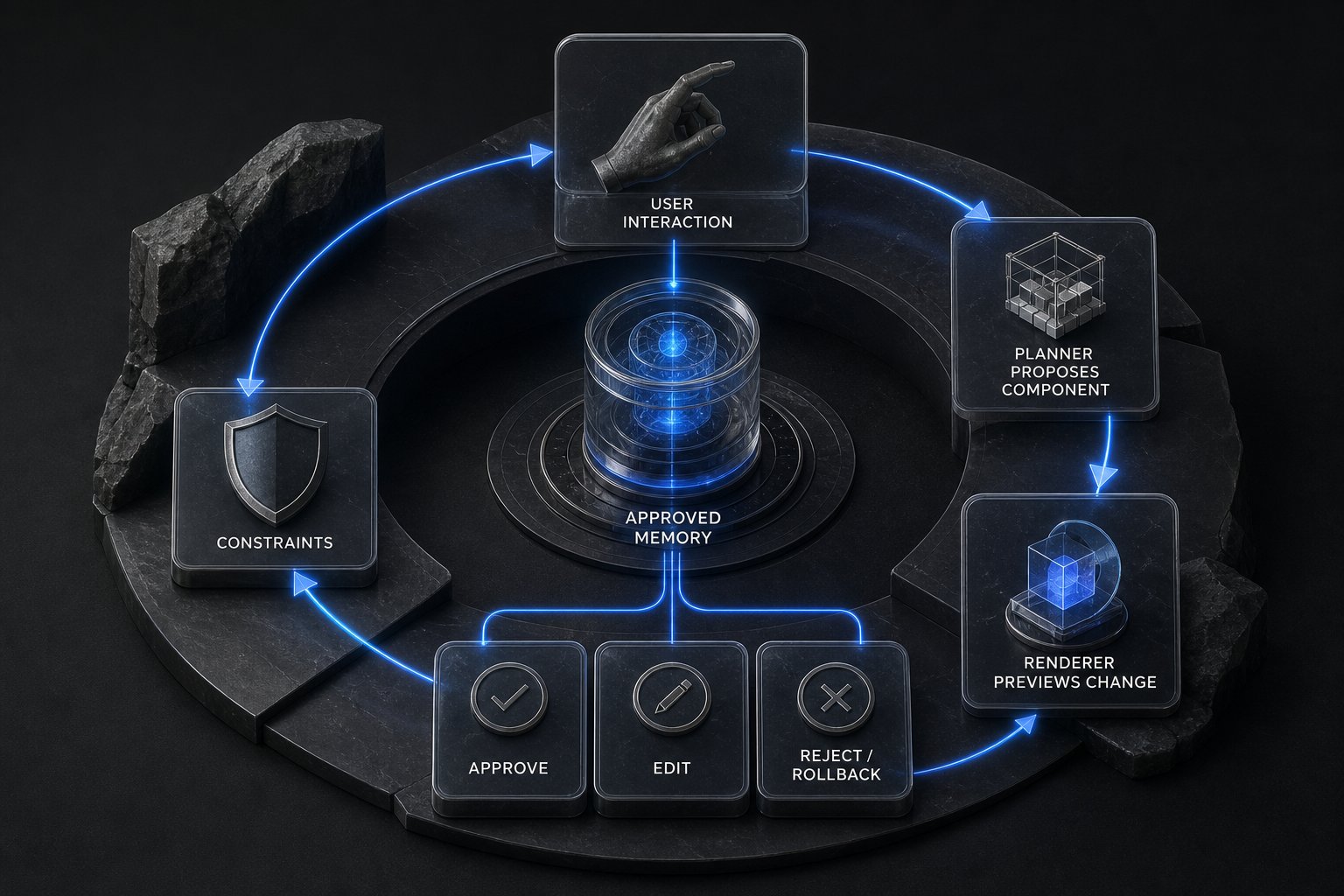
- Local model layer: a small or mid-size LLM runs through a local inference stack such as Ollama, llama.cpp, MLX, or equivalent hardware-accelerated runtime.
- Memory layer: semantic recall, structured user profile, event log, decision history, and periodic reflection summaries.
- Planner layer: decides whether a task needs conversation, tool execution, memory update, or interface adaptation.
- Generative UI layer: outputs structured component blueprints, not arbitrary code.
- Governance layer: previews changes, records rationale, handles approval, rollback, and deletion.
The loop is simple: interaction creates approved memory; memory reveals patterns; the planner proposes a UI component; the renderer previews it; the user approves, edits, rejects, or rolls back. Every decision updates future constraints.
The hard constraint is that the agent can compose the interface, not hallucinate the application. If memory becomes stale, contradictory, or manipulable through prompt injection, adaptation must pause rather than silently personalize the wrong behavior.
Next
The first proof should be a minimal desktop prototype with three modes: chat, memory, and workspace.
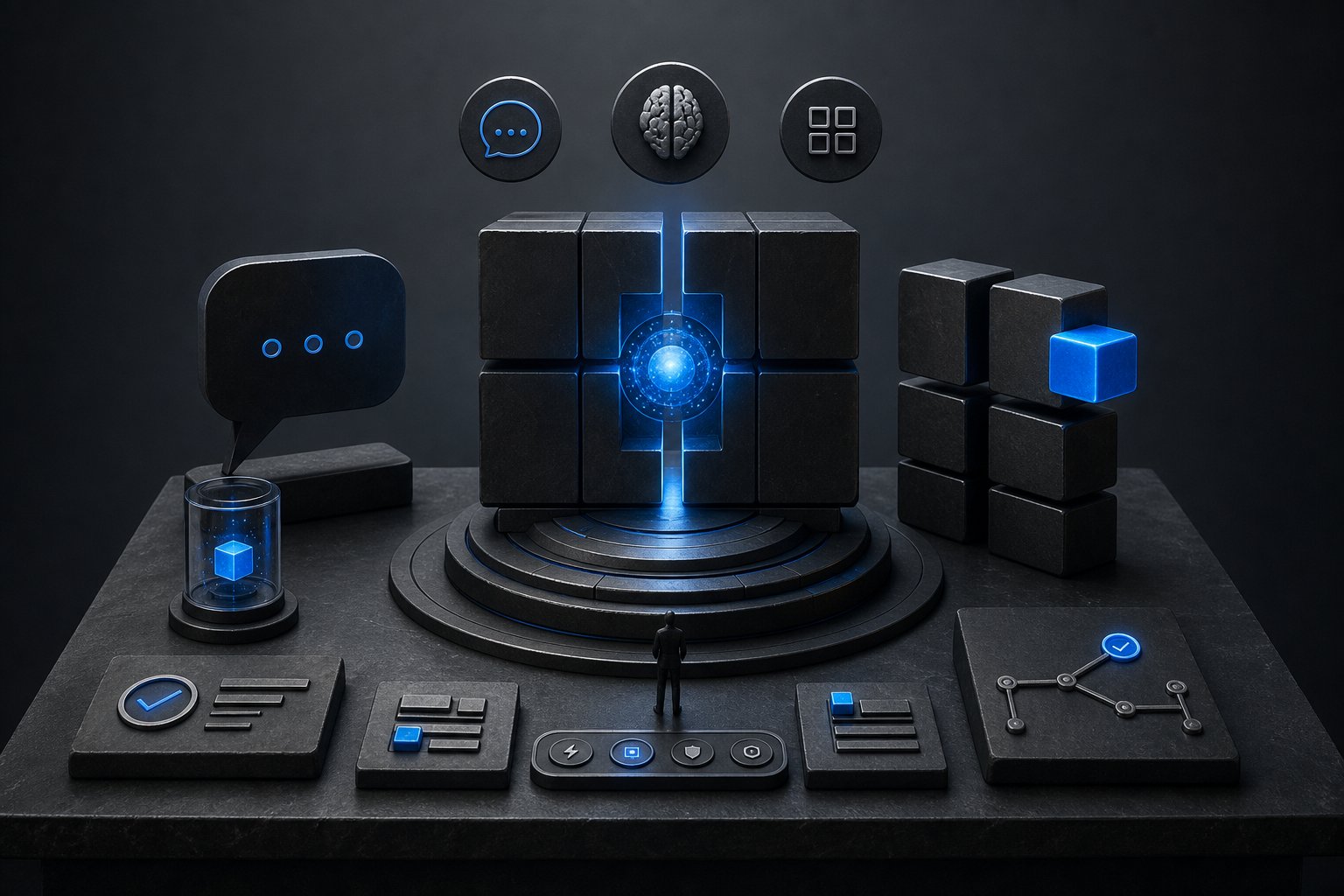
Build only five adaptive components:
- project dashboard;
- memory summary card;
- task panel;
- quick-action strip;
- evolution log.
The benchmark is practical friction reduction: fewer repeated instructions, faster project recall, and every interface change traceable to a specific memory or event. A useful target is 30% fewer repeated setup prompts across five recurring workflows, with all UI changes explainable within two clicks.
The next technical step is to define the component schema, memory permissions, and approval workflow before expanding tool autonomy. If the user cannot trust why the interface changed, the system has failed.
Generation Prompts
Image Prompt Minimalist desktop UI for a local-first AI agent, dark graphite workspace, memory timeline on the left, adaptive task cards in the center, visible approval and rollback panel, subtle violet accents, clean typography, restrained neural graph motif, premium calm interface, crisp high-resolution product render.